You can answer a payout RFI in the Merchant Dashboard, or through the API with the Respond to an RFI API if you have the RFI id. Both routes submit to the same RFI, and the payout moves the same way afterwards.
You can upload the requested documents directly from the Merchant Dashboard.
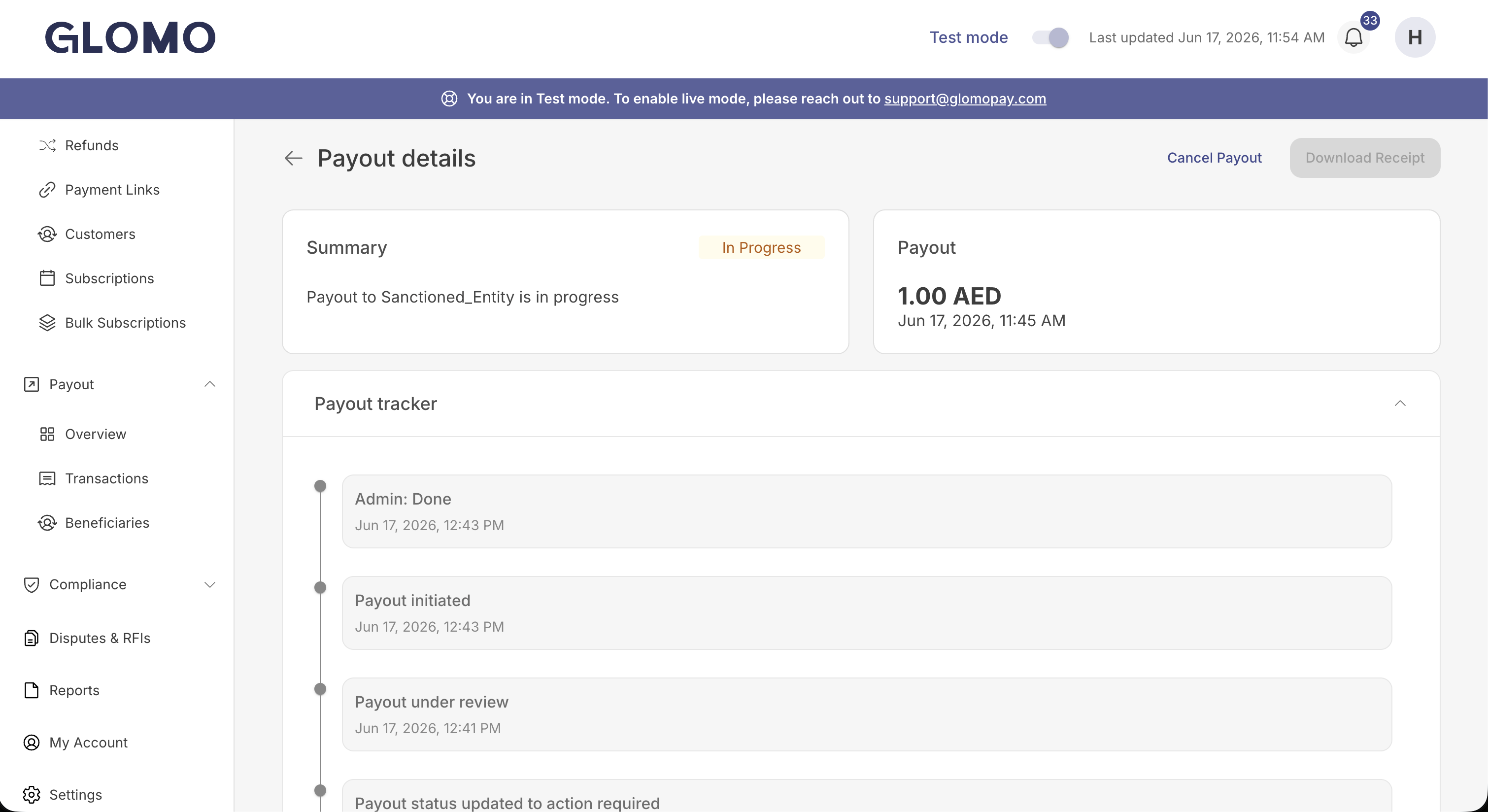
When a payout's risk checks aren't cleared, it moves to the action_required state and you'll receive a payout webhook and a notification on your Glomo dashboard. The email comes later, when our risk analyst raises the RFI. The payout details page shows the Action Required status, and the payout tracker explains why the payout needs your attention.
A payout can enter action_required before an RFI is raised. Our risk analyst first reviews the payout and then raises the RFI, so there may be a short wait between the payout moving to Action Required and the requested documents becoming available to upload.
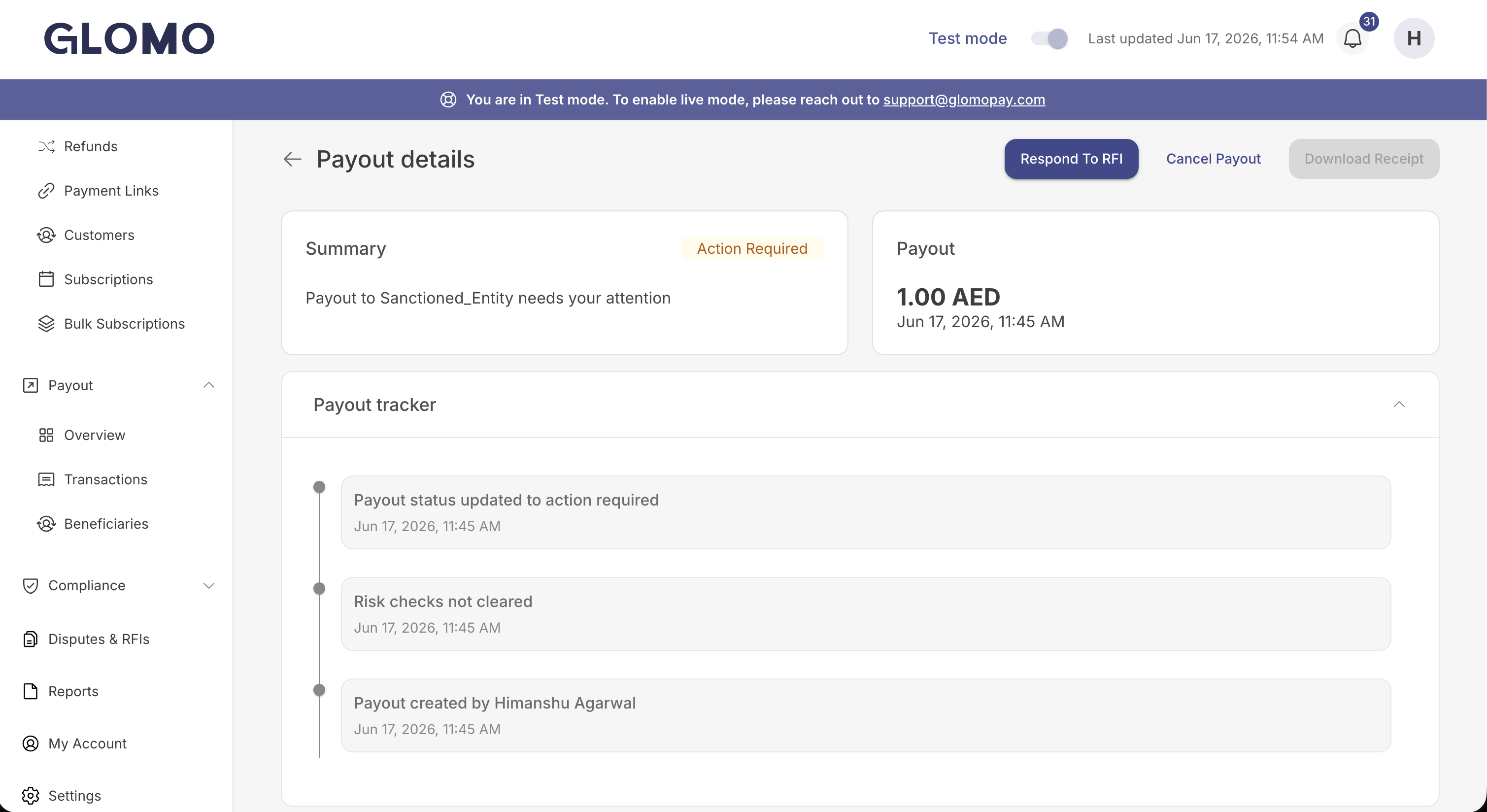
The Respond to RFI button is shown only once our risk analyst raises the RFI. Wait for it to appear before attempting to upload any documents.
Open the payout and click Respond to RFI. The dashboard lists the documents being requested and provides an upload field for each.
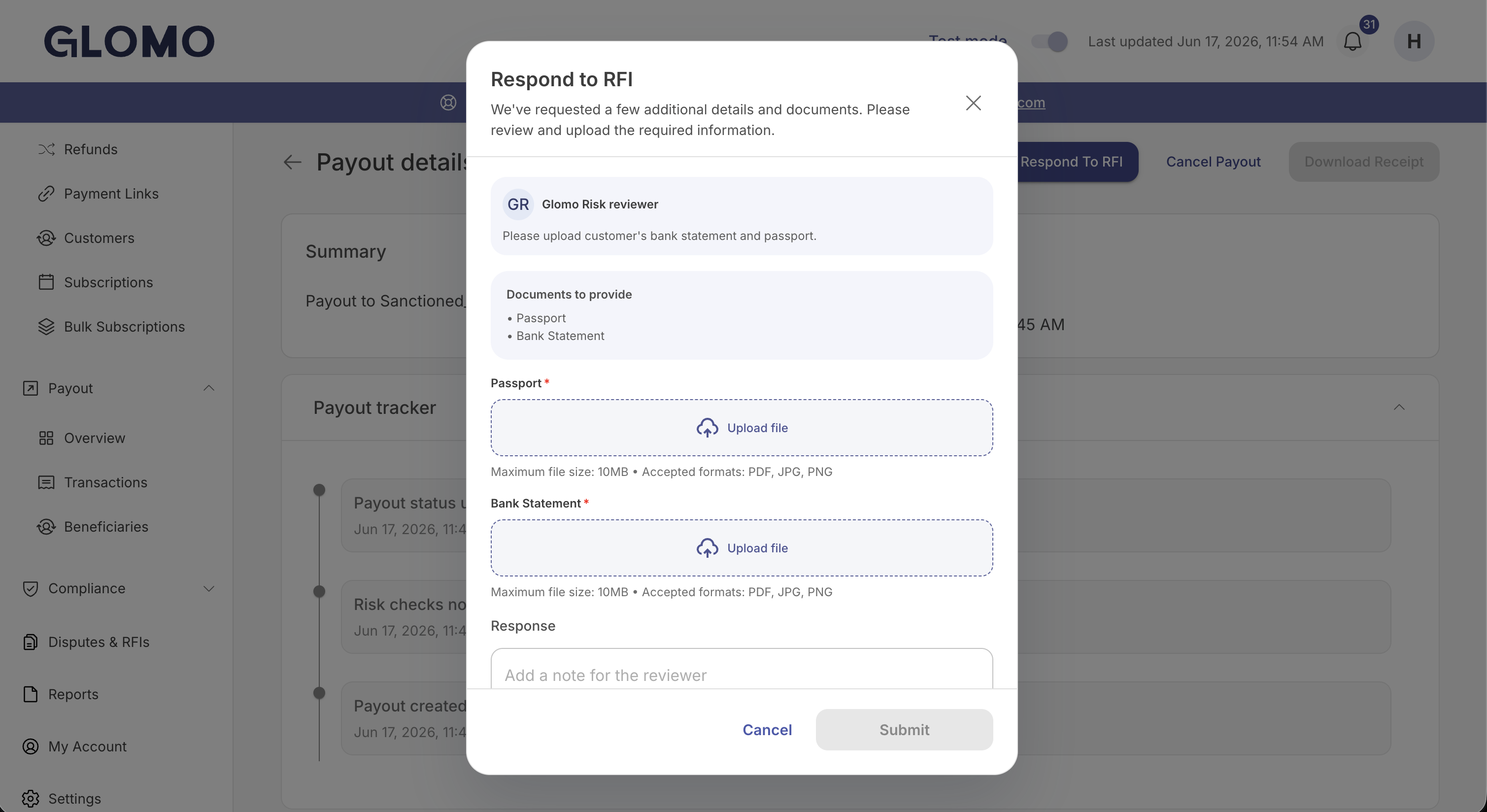
Attach a file for each requested document, add an optional note for the reviewer, and click Submit. You'll see a confirmation that the documents were submitted successfully.
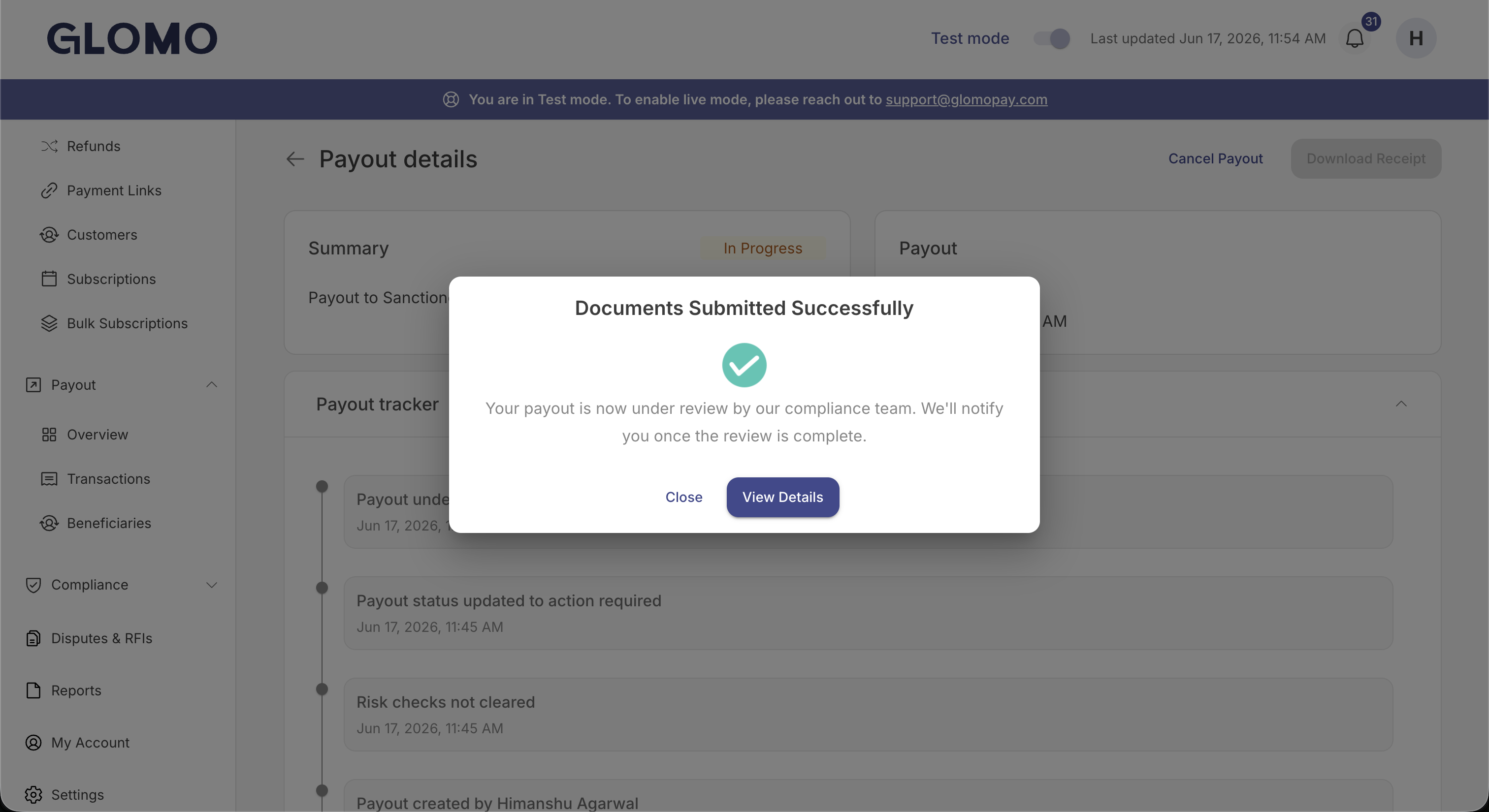
While the compliance team reviews your documents, the payout returns to the In Progress state and the payout tracker shows a Payout under review entry.
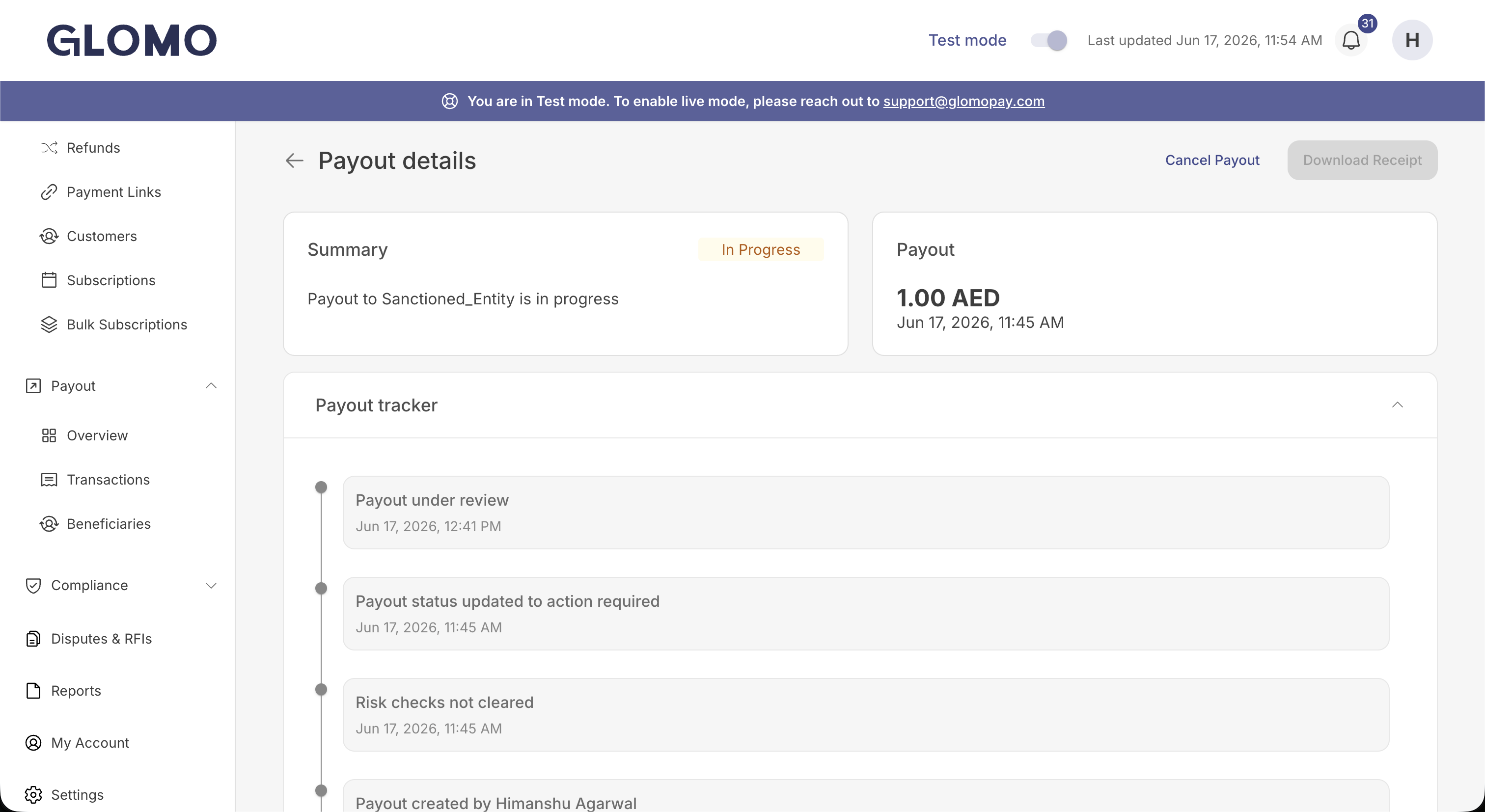
After the compliance team clears the submitted documents, the payout resumes processing automatically and continues toward Success. The payout tracker reflects each step, and the final outcome is also shared via callback/webhook.
respondRfi · PATCH /v1/rfis/{id}/respond · API reference
The API call needs the RFI id, which starts with rfi_. The payout object and the payout webhooks don't include it. Get it from either:
- The
rfiwebhook withevent_type: action_required, sent when the RFI is raised.data.idis the RFIid, anddata.entity_idis the payout ID. See RFI webhooks. - The List RFIs API (
getRfis·GET /v1/rfis), withsearchset to the payout ID.
- Wait for the RFI. The payout moves to
action_requiredfirst, and our risk analyst raises the RFI after reviewing it. You'll receive anrfiwebhook and an email when it is raised. - Fetch the RFI with the Fetch an RFI API (
getRfi·GET /v1/rfis/{id}). Itsdocuments_requiredlist has one entry for each requested document, each with anrfi_doc_idand adescription.instructionscarries the reviewer's note, or a generic message if the reviewer didn't write one. If Glomo later asks for more information, the reviewer's feedback is inreview_comments. - Upload each document with the Create a Document API. Keep the
idit returns, which starts withdoc_. - Call the Respond to an RFI API with the RFI
idin the path. Indocuments, send one entry for each item indocuments_required, pairing itsrfi_doc_idwith thedoc_idfrom step 3. You can add an optionaluploader_commentsnote for the reviewer.
{
  "documents": [{ "rfi_doc_id": "rfidoc_6a7c5018sI3ht", "doc_id": "doc_6a79c6c4SbTxf" }],
  "uploader_comments": "Invoice attached for review"
}
For a payout RFI:
- Send
doc_id, notdoc_ids. Each entry in a payout RFI'sdocuments_requiredhasmultiple_allowed: falseandmax_count: 1, so it takes one file indoc_id. Sending onlydoc_idsreturns404(Document not found). - Answer every requested document in one call. A call that leaves any of them out returns
400and submits nothing. - Don't send
fields. A payout RFI asks only for documents, so afieldsobject returns400. - Upload each document first, from your own account. A
doc_idwhose document isn't uploaded returns400, and a document from another account returns404.
A successful call returns 200 with the RFI status set to submitted. When you read the RFI afterwards with getRfi, the same state shows as under_review, so don't poll for submitted. A second call while the RFI is under review returns 422.
The payout moves from action_required to in_progress while the compliance team reviews your documents, and you receive a payout webhook with event_type: in_progress.
- If the documents are cleared, the payout resumes and continues toward
success. If your balance no longer covers it, it is queued when payout queueing is on, and otherwise it fails withINSUFFICIENT_BALANCE. - If the documents are rejected, the payout is cancelled with
error_codeset toPAYOUT_REJECTED. - Glomo may ask for more information. The RFI returns to
action_required(seereview_comments), the payout returns toaction_requiredwith apayoutwebhook and an email, and you respond again to the same RFIid.
Each of these changes arrives as a payout webhook. See Payout webhooks.
For the full payout state progression, see Action Required State.